Over the course of my training, I'd piled up around thirty Python pentest scripts — recon, network analysis, forensic, remediation, web security... Each one worked great on its own, on the command line. The problem came from their sheer number: launching them one by one, scrolling through a wall of text in a terminal, manually copying an interesting result so it wouldn't get lost. It worked, but it didn't scale. PenBox was born out of that friction: a graphical interface that drives these scripts, keeps a record of every run, and turns results into something sortable and filterable instead of letting them vanish into the scroll.
A catalogue, targets, playbooks
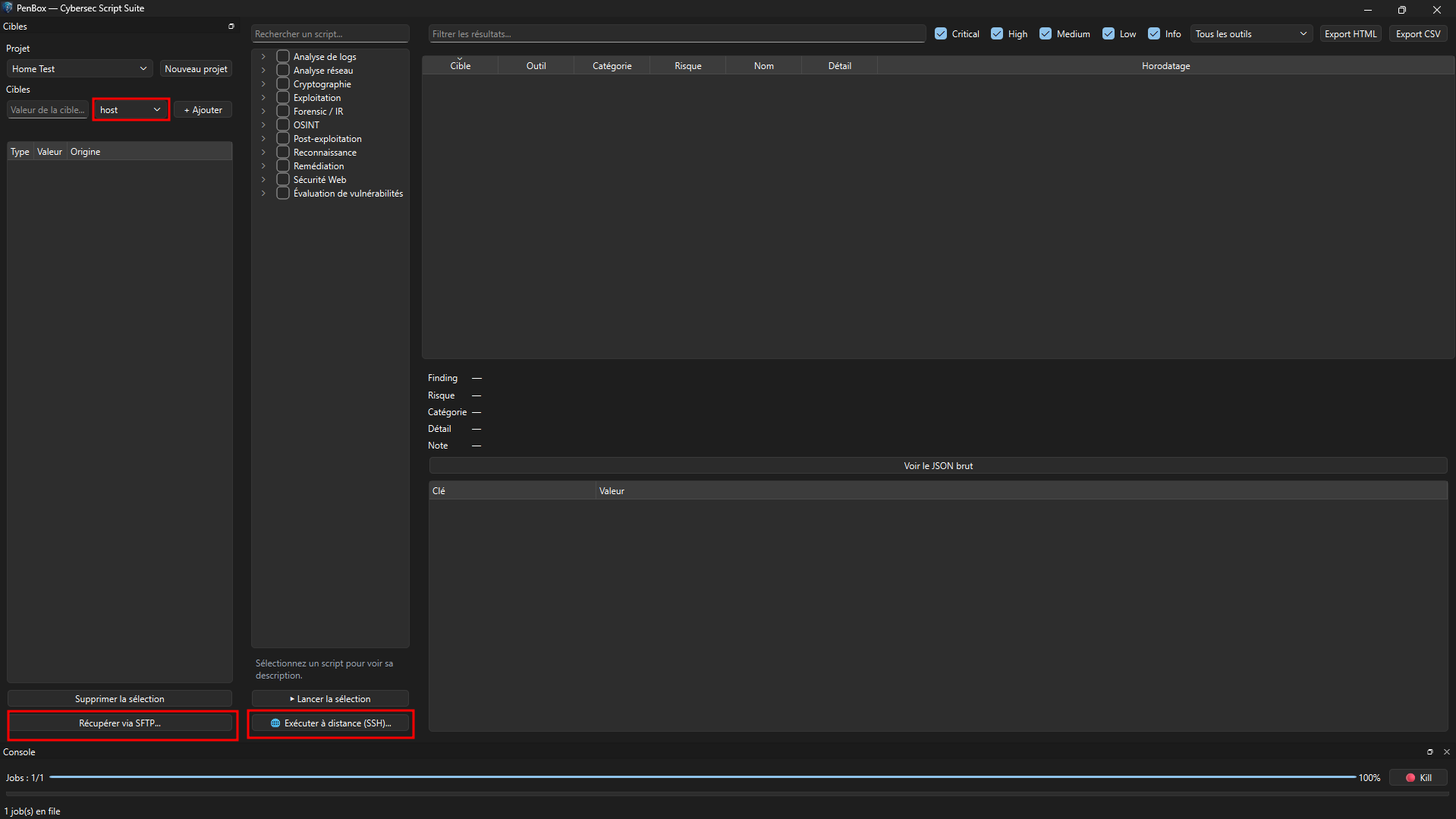
The principle stays simple: add one or more targets (IP, domain, URL, file, directory...), check one or more scripts in the catalogue, launch. The catalogue groups about ten families — reconnaissance, network analysis, cryptography, exploitation, forensic/IR, OSINT, post-exploitation, remediation, web security, vulnerability assessment — and each script declares what target type it expects, to avoid running it against a value that makes no sense for it.
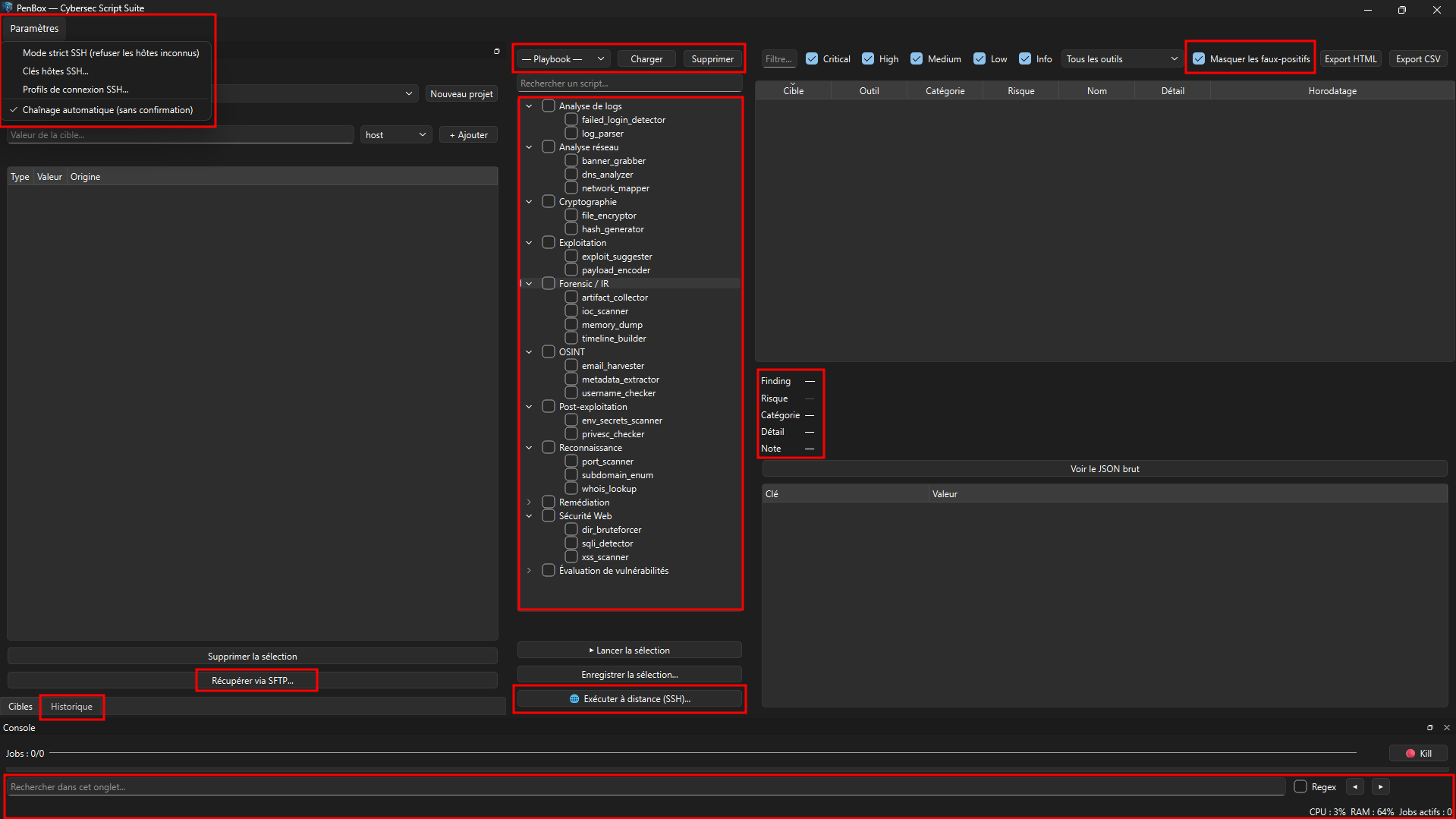
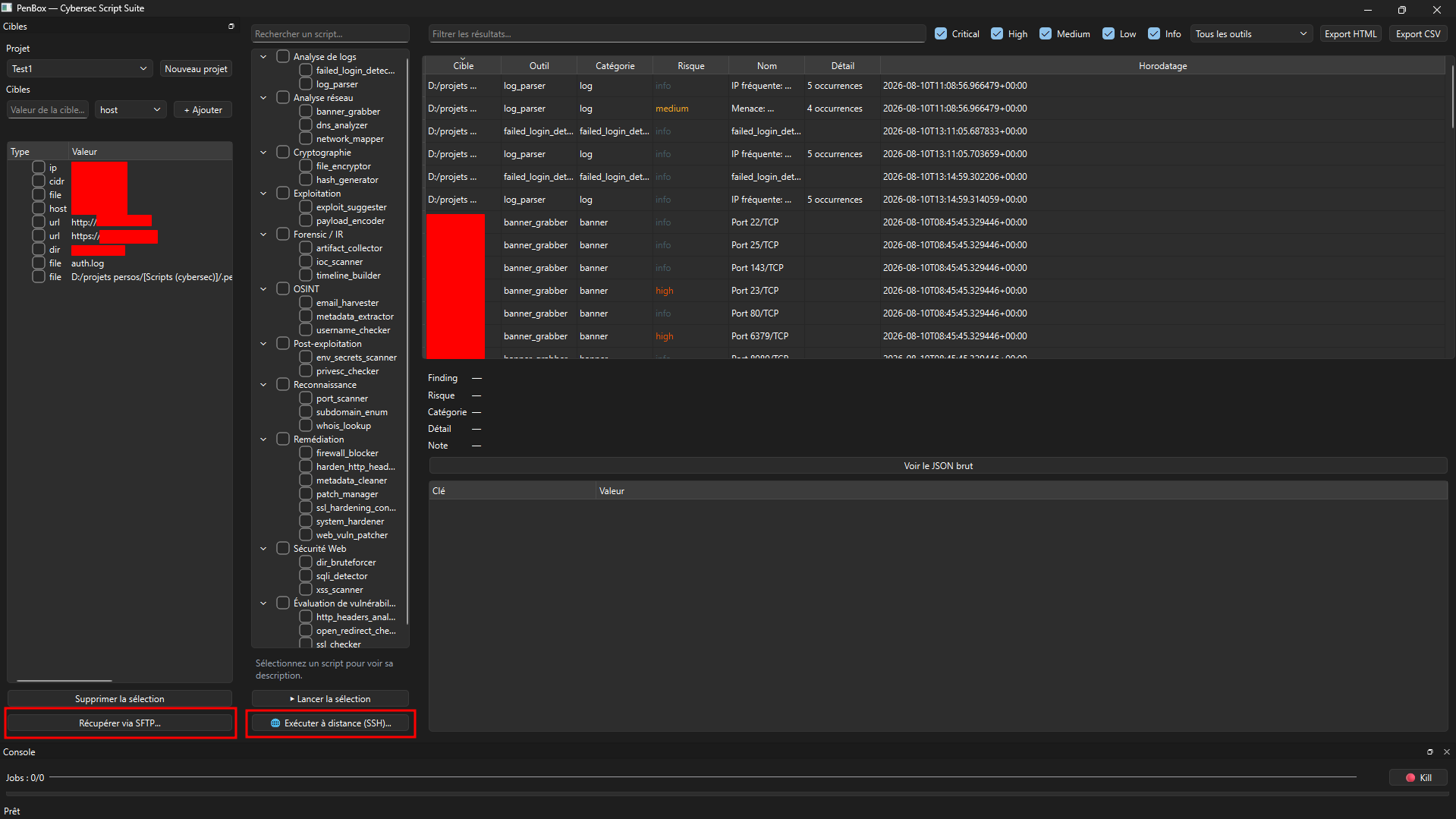
Once a combination of scripts keeps coming back for a given type of audit, it gets saved as a playbook — a named scenario you reload with one click instead of re-checking the same list every time. Results land in a table filterable by risk level, with raw JSON detail one click away, and a right-click to mark a result as a false positive or override its risk level — handy once repeated scans start piling up.
Local or remote, without ever losing control
Some scripts only work on the local filesystem (log analysis, metadata extraction...) and have no way to fetch a file from a remote machine on their own. Others, conversely, only make sense run directly on the target (privilege-escalation checks, system hardening...). PenBox covers both cases: file retrieval over SFTP for the first, remote execution over SSH for the second — the script gets uploaded, run on the spot, and its result pulled back into the same table as local runs.
I deliberately chose SFTP over SMB for this transfer: SMB doesn't hold up in the real conditions of an external pentest (filtered outbound traffic, often flagged by an EDR), whereas SSH is almost always already the access channel you have on an engagement. On the security side, PenBox remembers the fingerprint of every SSH host it contacts and refuses any connection whose key has changed since last time — real protection against interception, not a box ticked for show. Recurring connection credentials, meanwhile, live in an encrypted vault protected by a master password that's never stored anywhere.
Proven under real conditions
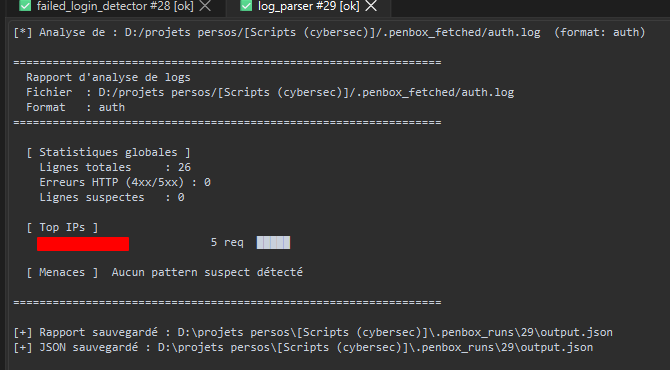
An interface that compiles isn't an interface that works. I tested PenBox against a Debian box in my home lab, then against a VPS exposing a deliberately vulnerable application, and several real bugs came out of those sessions: a credential-stuffing detection regex flagging a false positive on any line simply containing "root", an exploitation script reading the wrong key from another script's JSON output, a nested f-string that flat-out crashed a web directory scanner. That last case even revealed a classic trap: the initial fix silently dropped a line that fed the results file — the script kept running, kept printing results on screen, but stopped writing anything usable. Nothing replaces a real run against a real target for catching that kind of invisible regression.
First release, open source
PenBox is now at version 1.0.0, packaged as a standalone Windows installer (embedded Python runtime, no external dependency, no admin rights required) — a bundle rather than a PyInstaller-frozen executable, so as not to break the way the app launches each script as an independent subprocess. The code, the catalogue scripts, and the full user notice are on GitHub:
GitHub repository — old-dov/cybersec-toolkit
Release v1.0.0 — release notes and installer
A prioritized wishlist is already waiting its turn for upcoming versions. In the meantime, same as everywhere else on this blog: these tools are meant for authorized audits, on your own systems or in a legitimate context — nothing else.