The new OnlyAudio v2.3.0 release is out, and it brings some of the biggest changes since the project began. On the menu: a significantly improved Android remote, better sync between devices, a more modern interface, and several optimizations to the desktop player.
OnlyAudio continues to establish itself as a lightweight, modern, cross-platform audio player (Windows, macOS, Linux) that you can control from a smartphone thanks to its Android app.
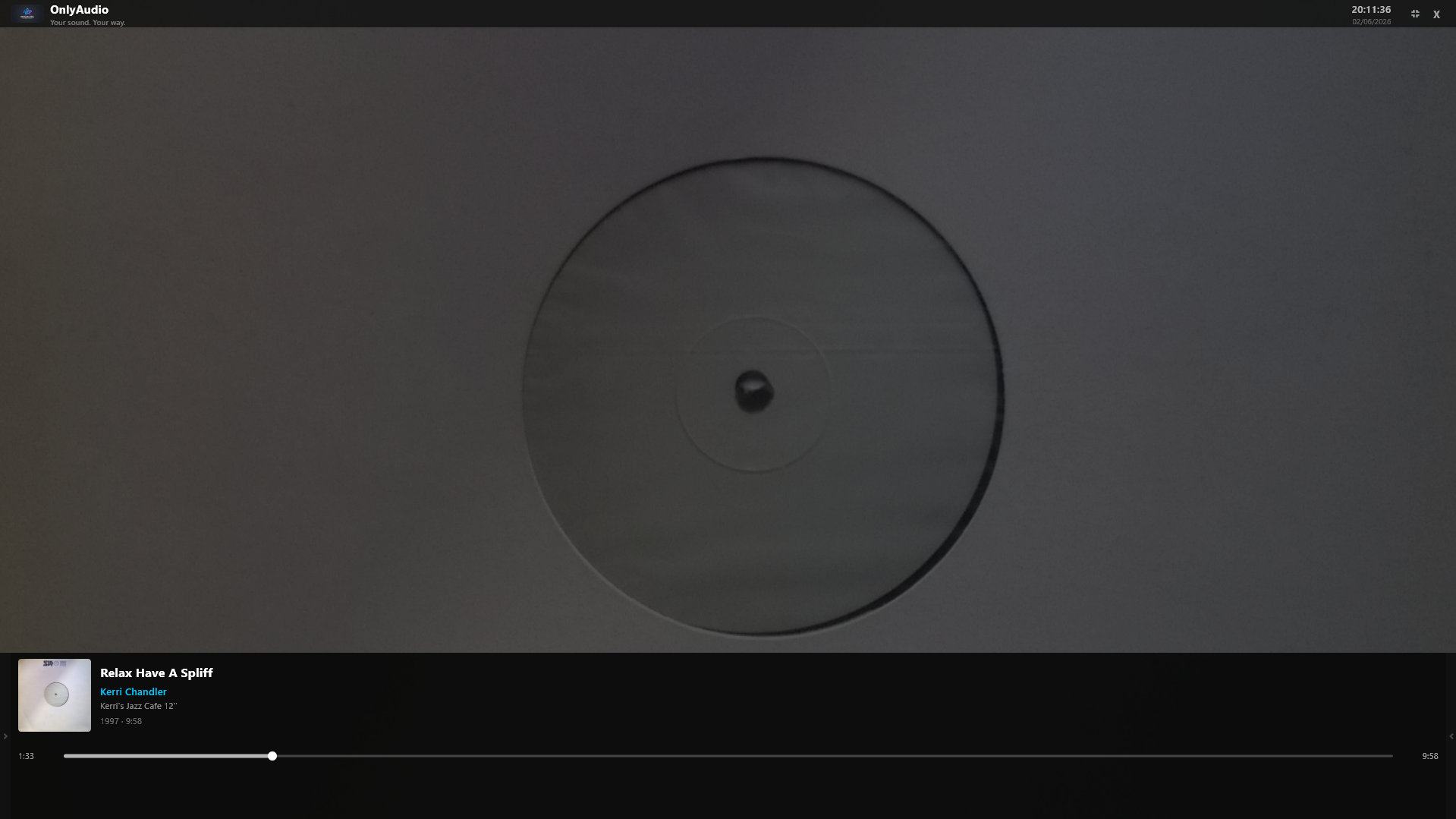
🚀 Key new features
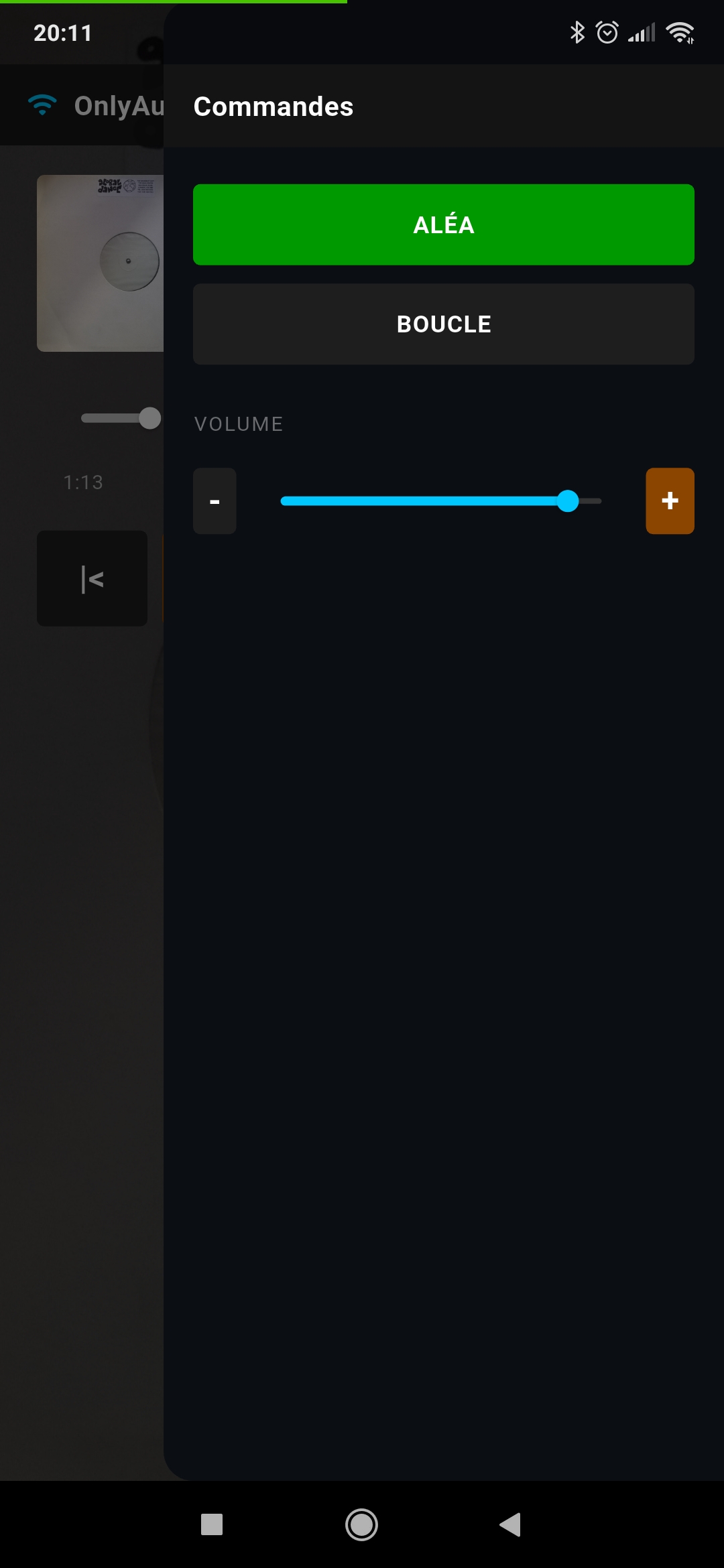
🖼️ Album artwork on the remote
The Android remote now displays the album cover in real time, synchronized with the desktop player. This feature was highly requested and noticeably improves the remote-listening experience.
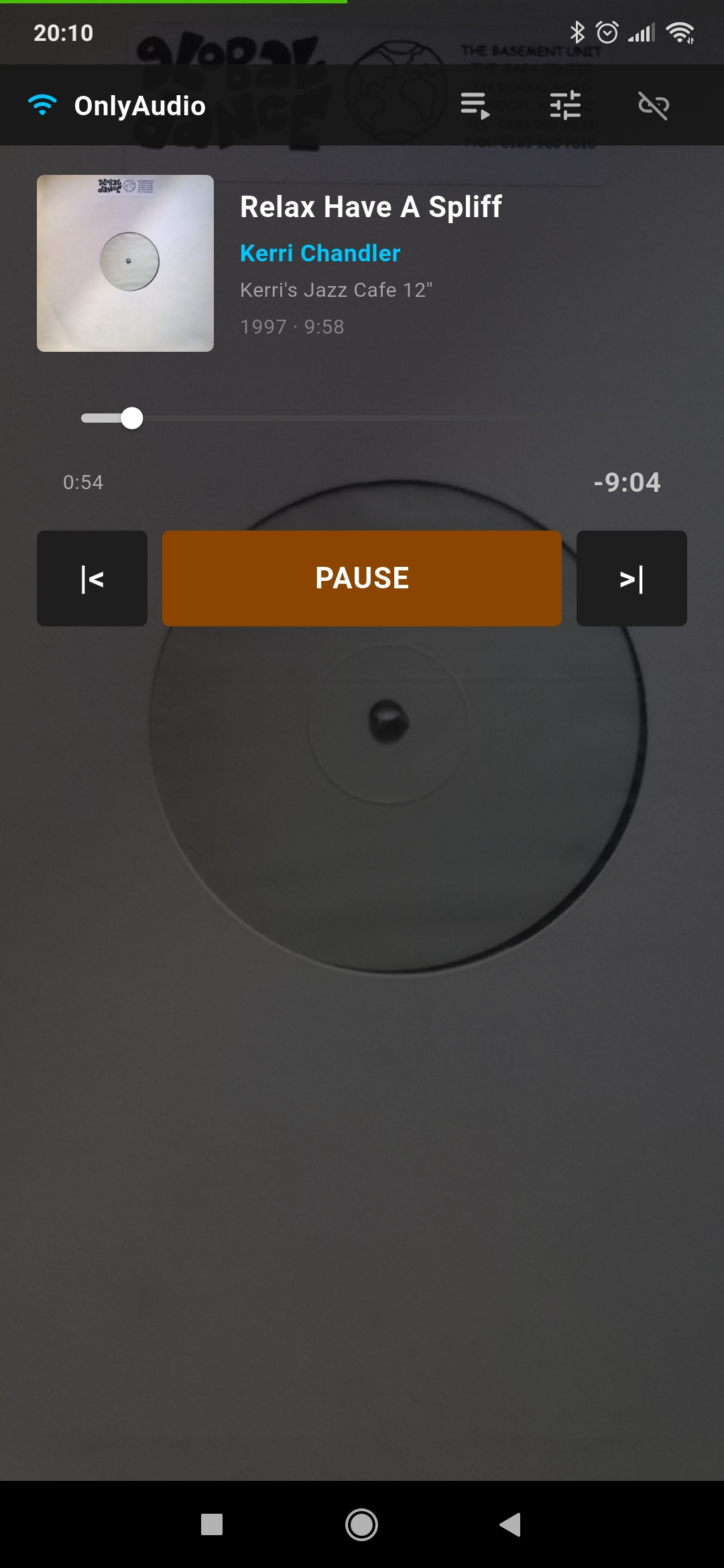
📊 Progress bar fixes and improved sync
The progress bar has been reworked for a smoother, more accurate update between the player and the remote. The occasional lag seen in previous versions has been fixed.
🎨 Modernized icons and interface
The remote gets a new design, cleaner and more consistent with the player's visual identity. Icons have been reworked for better readability.
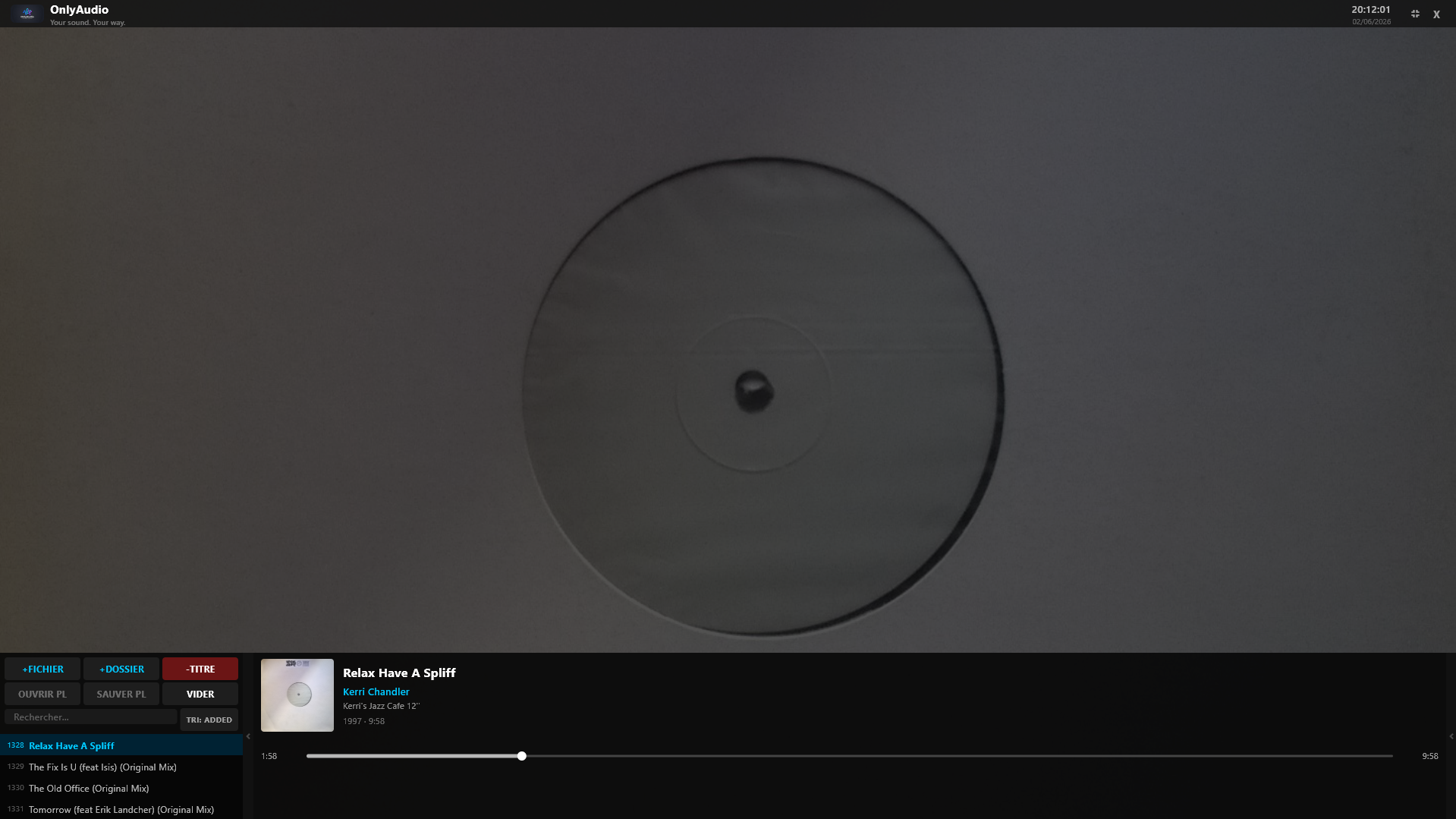
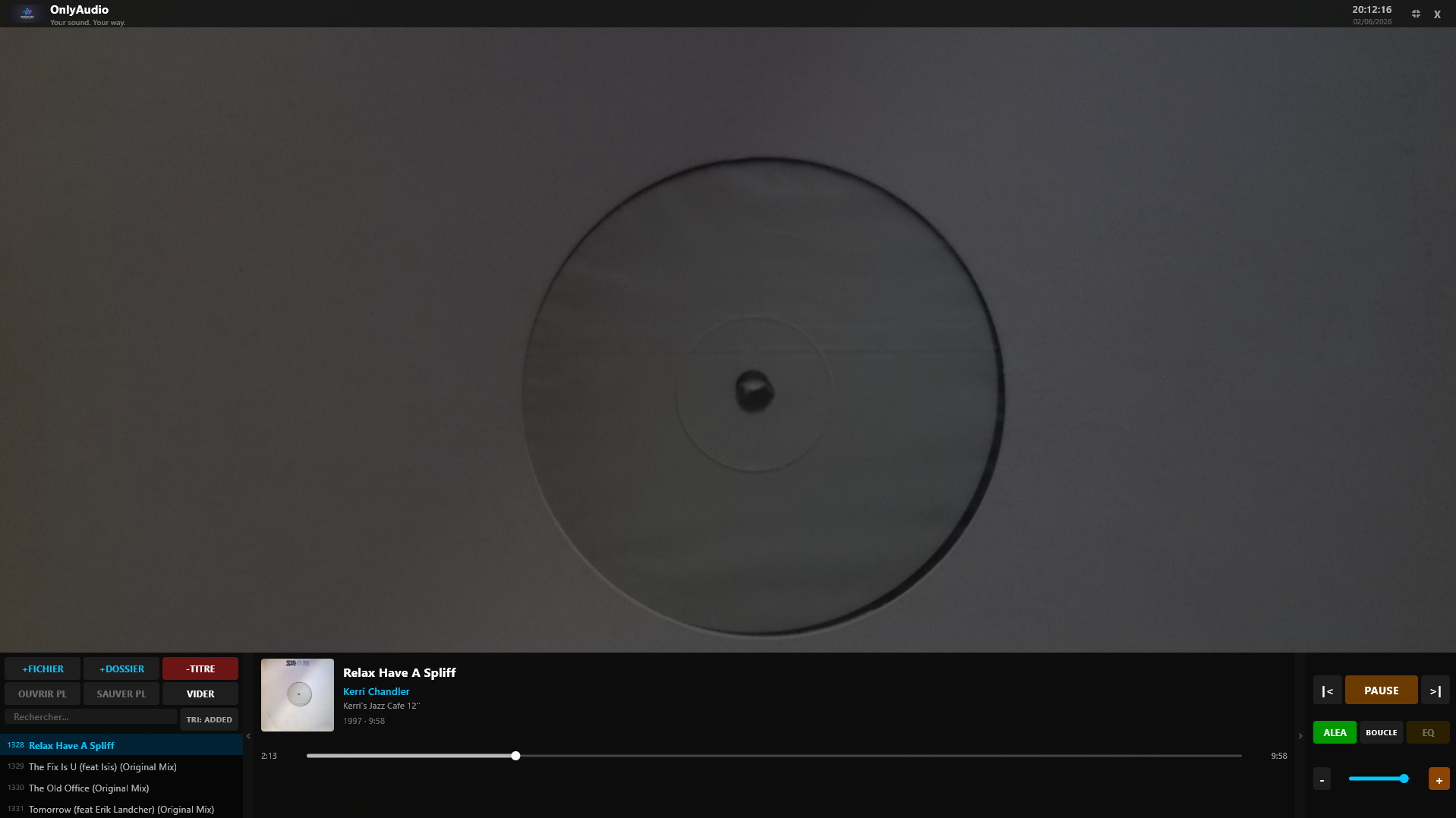
🧭 Side panels on the desktop player
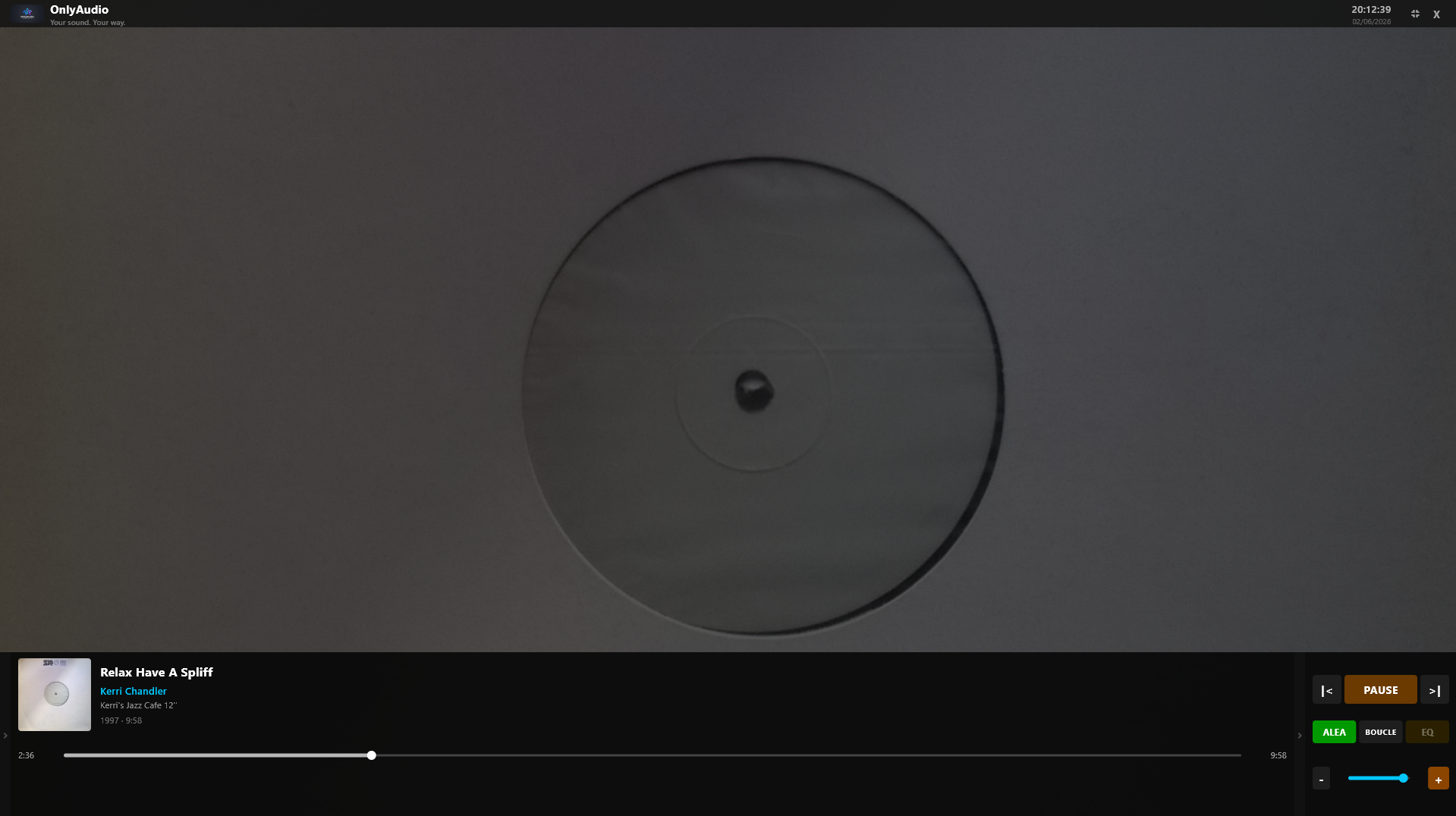
The desktop player now introduces side panels that let you show or hide certain sections of the interface. This makes the app more flexible depending on the use case: playlist, metadata, etc.
⚡ Optimized dual-player pre-buffering
The track pre-loading system has been optimized, guaranteeing instant track switching. This feature, introduced previously, gains in stability and smoothness.
📱 Android remote: even more complete
The Android remote remains one of the project's strong points. With v2.3.0, it becomes even more pleasant to use:
- Real-time album artwork
- Modernized interface
- More reliable synchronization
- Full controls: play, pause, previous, next, shuffle, repeat, volume
- Automatic PC discovery on the local network
- Android notification with media controls
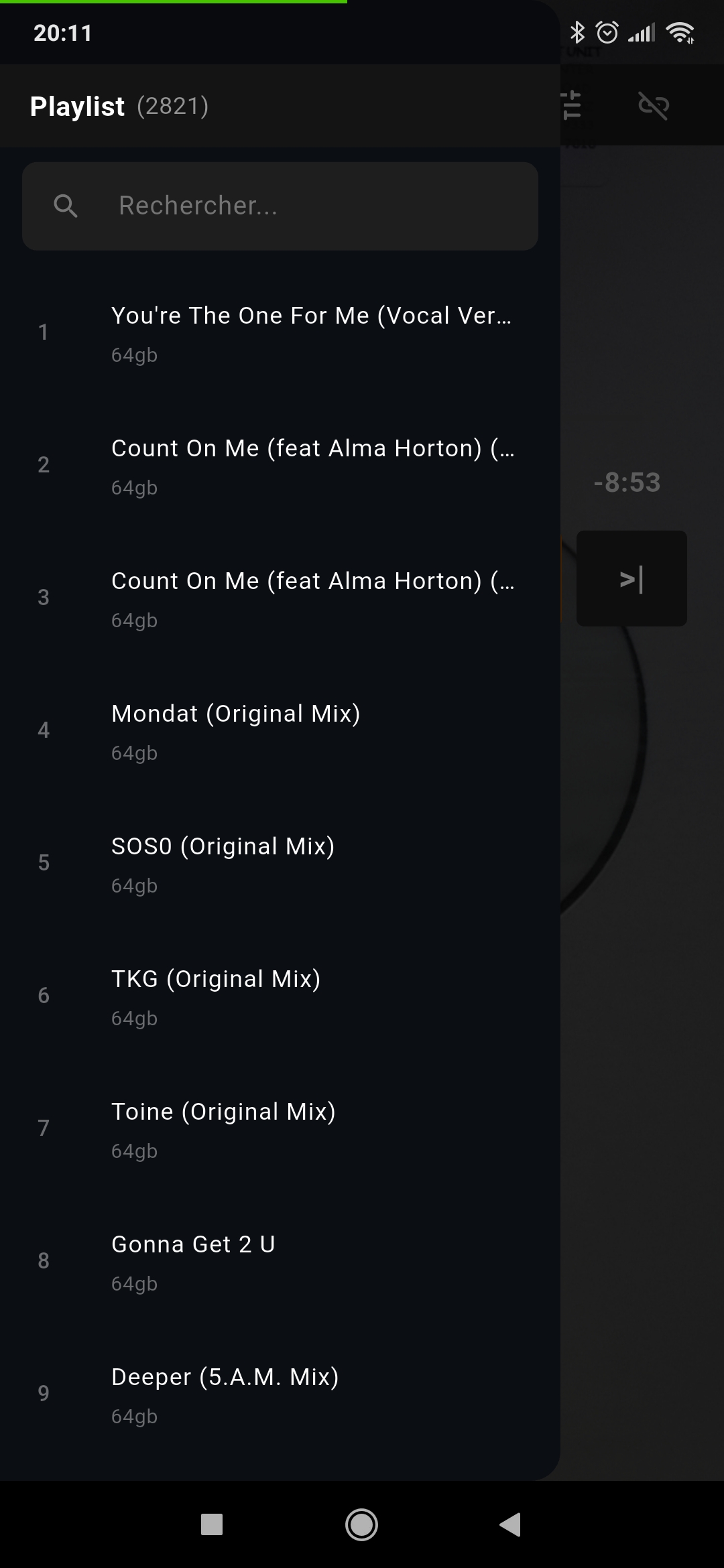
- Playlist navigation
🖥️ Desktop player: cross-platform and smoother than ever
The desktop player remains compatible with Windows, macOS, and Linux, and supports the most common audio formats: MP3, FLAC, WAV, OGG, M4A, AAC.
Key features:
- Full metadata (title, artist, album, year, cover art)
- Playlist with shuffle & repeat
- Progress bar with seek
- Full-screen mode
- Modern dark interface
- Automatic updates on Windows
- Side panels (new in v2.3.0)
- Instant pre-buffering
🔌 Communication: local REST API
OnlyAudio runs on an HTTP server built into the desktop player. The Android remote communicates via REST endpoints on port 5000.
GET /status— current statePOST /play_pausePOST /nextGET /playlistPOST /seek/<ms>
🛠️ Tech stack
| Component | Technologies |
|---|---|
| Desktop player | Flutter, Dart, media_kit (libmpv) |
| Android remote | Flutter, Dart, audio_service |
| Communication | HTTP REST API (JSON) |
| Windows installer | Inno Setup |
📥 Installation
Windows — Download OnlyAudio_Setup.exe from the Releases page. The installer automatically updates the previous version.
macOS — Download the .zip archive, drag the app into Applications, then right-click to open if Gatekeeper blocks the launch.
Linux — Download the AppImage, make it executable, then launch it.
Android — Install the APK from the Releases page, then let the remote automatically discover the PC on the local network.
⭐ Conclusion
OnlyAudio v2.3.0 marks a major milestone: a more elegant and more complete remote, stronger synchronization, a more flexible desktop interface, and a smoother overall experience.
The project keeps evolving fast, and this update clearly shows its ambition: to offer a modern, simple, powerful audio player you can control from anywhere in the house.