A full systems-and-network administration lab: end-to-end deployment of a corporate intranet web portal, with internal DNS resolution, VPN security hardening and GPO automation. The central challenge — restrict VPN authentication to modern protocols only (EAP/PEAP) and remove the vulnerable legacy methods.
Lab Architecture (GNS3)
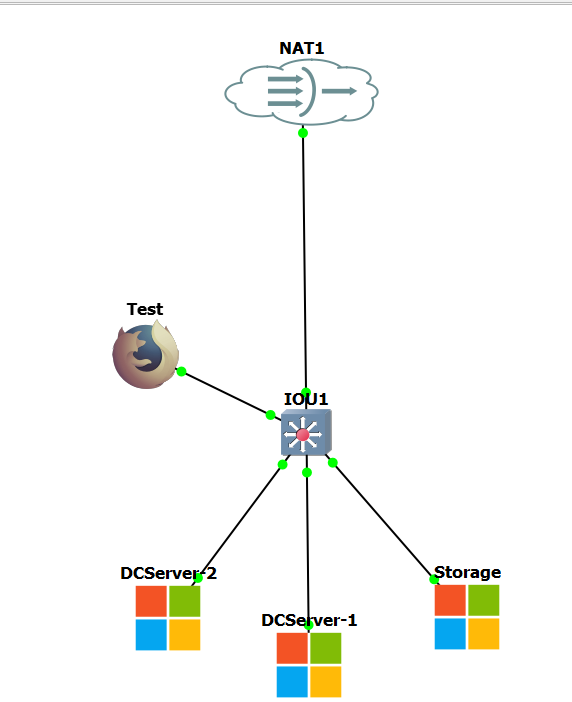
To stick to the scenario's constraints (a maximum of 3 Windows servers), I built a stripped-down but effective topology on a virtual IOU1 switch.
- DCServer-1 (DC1): primary domain controller for stellar.local and master DNS.
- DCServer-2 (DC2): secondary read-only domain controller (RODC).
- Storage: member server hosting IIS and RRAS/NPS remote access (192.168.122.13).
- Test: BusyBox Docker appliance to validate LAN traffic at the end of the scenario.
Web Portal and DNS Routing
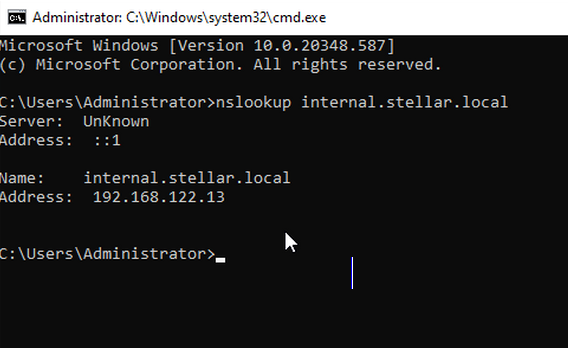
First building block: turning the STORAGE member server into an internal web server with IIS, then creating the DNS A record internal.stellar.local in the stellar.local zone on DC1. An nslookup immediately confirms the resolution.
VPN Hardening (EAP-Only)
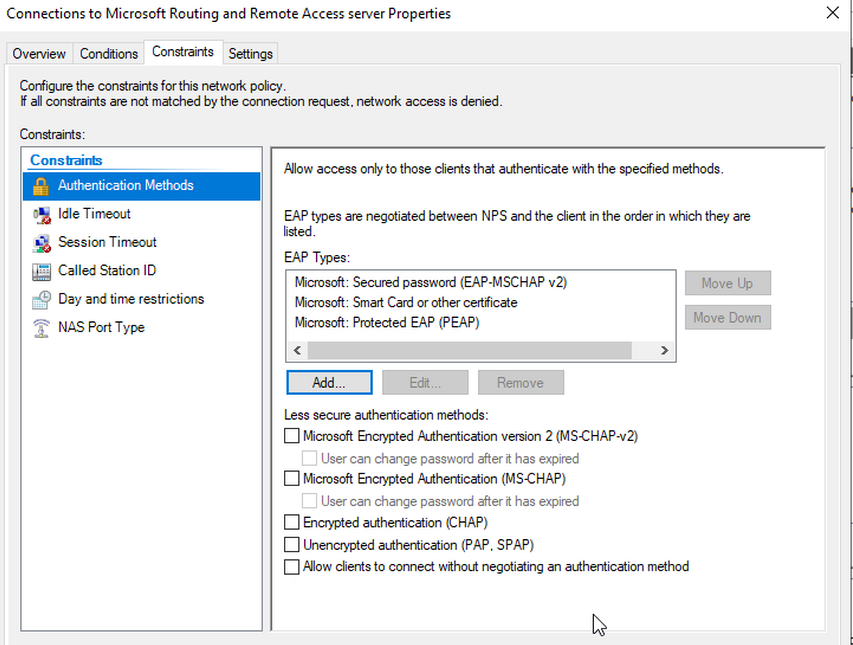
The VPN hardening aims to remove legacy authentication methods (PAP/CHAP/MS-CHAP) and allow only EAP/PEAP. The main difficulty: RRAS on a single network interface requires going through the custom configuration (Custom Configuration → VPN Access) rather than the standard wizard. The NPS policy is then set up to restrict access to the VPN_Users group with Grant Access, explicitly unchecking PAP/CHAP/MS-CHAP.
Validation and Troubleshooting (BusyBox Bug)
The test Docker client was correctly configured with a static IP and DNS pointing to DC1,
but hostname-based tests triggered a Segmentation fault on the appliance.
To isolate the problem, validation was done directly by IP instead.
ip addr add 192.168.122.50/24 dev eth0
ip link set eth0 up
echo "nameserver 192.168.122.11" > /etc/resolv.conf
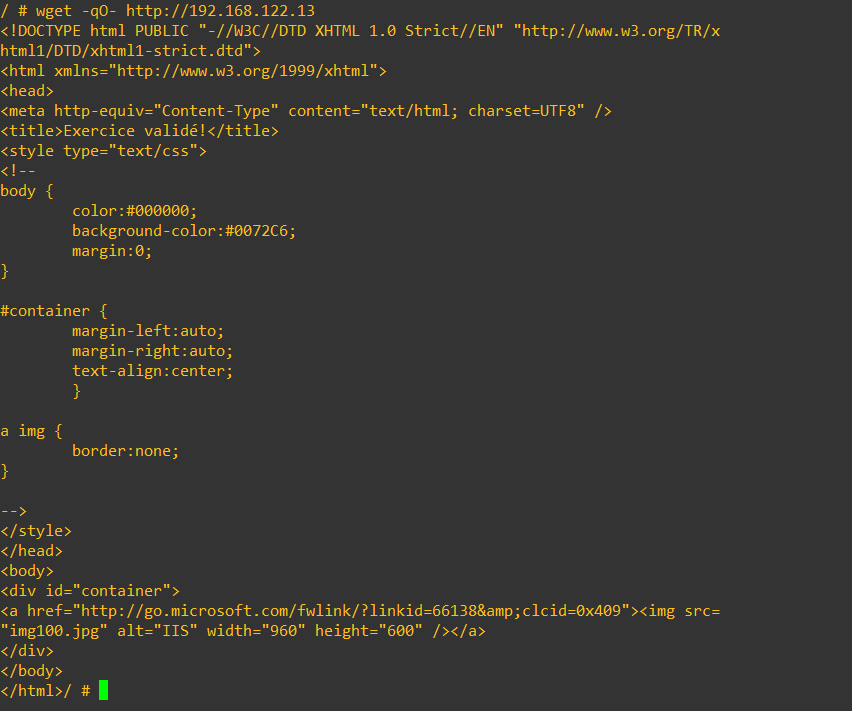
wget -qO- http://192.168.122.13
Result: immediate response from the IIS HTML. Network and web infrastructure validated.
Bonus: User Convenience via GPO
Deployment of the IntranetShortcutPolicy GPO to automatically push
the StellarTech Internal Portal URL shortcut
(http://internal.stellar.local) to the desktop of targeted users.
Key Takeaways
- RRAS remains usable in a lab with a single interface thanks to the custom configuration.
- Cleaning up NPS authentication methods is essential to limit attacks.
- A test-environment bug shouldn't bias the network diagnosis: testing on raw IP remains a key reflex.